Using the Render Tool in Bricklink Studio
A walk-through gallery of rendered examples.
Open gallery →Statement of Inquiry: Designers must develop research, planning, and evaluation skills to create good products.
Students engage with the design cycle and learn about product design to plan and create a new Lego set. They develop research, planning, and evaluation skills, and use Bricklink Studio to construct sets, render images, and create instruction booklets. The skills students learn lay a foundation for success across MYP and even DP design.
The unit opens with Bricklink Studio skill training before moving through the four MYP design criteria in order. Each criterion is assessed with its own summative task. The lesson sequence shown on this page is a suggestion, not a hard requirement. Adjust pacing to fit the class.
| Phase | Focus | Suggested Classes |
|---|---|---|
| Studio Training | Bricklink Studio tutorials, guided builds, rendering, Part Designer | 7 |
| Criterion A: Inquiring & Analysing | Lego research: set analysis and research pamphlet | 5–6 |
| Criterion B: Developing Ideas | Planning: success criteria, inspiration, rough drafts, specifications | 7 |
| Criterion C: Creating the Solution | Building the set, daily documentation, box design, renders, instructions | 12–13 |
| Criterion D: Evaluating | Surveys, interviews, success criteria review, improvements | 4 |
| Final Revisions | Incorporate feedback and complete the design cycle | 3 |
Unit OverviewStudents follow the complete design cycle to design a brand-new Lego set: researching real Lego products, planning with success criteria and specifications, building and rendering their set in Bricklink Studio, and evaluating the result with real user feedback. The finished project includes a box design, instruction pages, and rendered images. The goal is a set that looks like it could really be sold by Lego.
Key Concept, Related Concepts & Global Context
| Key Concept | Related Concepts | Global Context |
|---|---|---|
| Systems: sets of interacting or interdependent components that provide structure and order in human, natural and built environments. | Evaluation, Form | Personal and Cultural Expression |
Inquiry Questions
| Type | Question |
|---|---|
| Factual | What are some of the main Lego product lines available, and how are they different? |
| Factual | How does Bricklink Studio help in creating 3D models of Lego sets? |
| Factual | What are the key elements of product design in the context of Lego sets? |
| Conceptual | Why is research important before designing a product? |
| Conceptual | What makes a Lego set engaging to build and play with? |
| Conceptual | How can user feedback and evaluation improve the design of a Lego set? |
| Debatable | Why is package design important? |
| Debatable | Is Lego educational to build with or just a toy? Why or why not? |
ATL Skills in Focus
The ATL skills of Research: Information Literacy and Thinking: Creative Thinking are central to this unit. Students access and evaluate information about real Lego products, make connections between sources, and present information in a variety of formats. Creative thinking is developed through brainstorming, designing improvements to existing products, and applying existing knowledge to generate original set designs.
Where to Submit
Suggested Lessons: Studio Training
Before Criterion A begins, students build core Bricklink Studio skills. Pacing is a suggestion, not a hard requirement.
Students will: complete a 'get to know me' writing page using a form provided in class.
Why: provides an academic integrity reference sample for the year.
Students will: complete the tutorial in Studio and open Moodle for an exit ticket.
Why: important to learn where to find resources and tasks.
Students will: assemble an official Lego set in Studio, building along with downloaded instructions.
Why: teaches typical Lego construction and where to find pieces.
Students will: flip pieces around and manipulate them with shortcuts, following the teacher step by step.
Why: core Studio and 3D manipulation skills.
Students will: follow instructions to build sets independently.
Why: reinforces construction skills and piece-finding.
Students will: continue building projects while adding rendering and special colors.
Why: introduces the rendering workflow used for the final box design.
Students will: build custom pieces in Part Designer, following a teacher example.
Why: shows how to add totally custom pieces to their work.
Students research real Lego products to understand what makes a good set before designing their own. They explore product lines, analyse existing sets, and gather the information they need to choose a direction for their project. A formative research task is completed first so students know exactly what to do on the summative.
RequirementChoose Lego sets to explore using Lego.com, Brickipedia, and Bricklink Studio, and complete analysis of 4 different sets that could inspire your own work. The completed research pamphlet is handed in on paper.
Research begins with a formative example task using the Lego website, so students practice identifying key product details (theme, piece count, price, target age, features) before the assessed work. The sets chosen for analysis should help determine the direction of the student's own project.
⚠ Full task details and the task-specific rubric will be added when the Criterion A task sheet is available.
A suggested sequence, adjust pacing as needed.
Students will: identify elements on the Lego website by completing a provided example research task.
Why: learn the skills to be used on the summative.
Students will: understand what tasks will be completed during the assessment by working through it with the teacher.
Why: prepares students to succeed at the summative.
Students will: choose a Lego set to explore using the Lego website or Bricklink Studio.
Resources: Brickipedia, Lego.com, Criterion A assessment.
Students will: complete analysis for 4 different sets that will help inspire their work.
Why: determines the direction of the project.
Students will: complete the paper research assessment.
Why: prepares students to move into planning.
Students will: create as much of a set as possible from image references only, with no instructions.
Why: useful to gauge piece recognition before planning begins.
Students plan their new Lego set in a structured Canva workbook. Every page includes a completed example. Mr. K's fantasy football set, "Anvil Mountain Stadium", demonstrates work at the 7–8 level. Example pages are marked in yellow and must be deleted before submitting. When finished, students upload a PDF print copy to ManageBac.
RequirementExplain WHAT you want to design (1 sentence) and WHY you think it is a good idea (3–4 sentences).
Worked example: "I want to create a fantasy football set for Lego. Lego doesn't sell many fantasy or castle themed sets right now, and I think that a new fantasy theme would be successful. I am inspired by the board game 'Blood Bowl', and think that many Lego pieces and minifigures would fit the designs of that game. A Lego version would be much faster to put together so people could play the game in less time!"
RequirementCreate 4 or more success criteria for the product, each explained in 1–2 sentences. Criteria must be achievable and measurable. They are reviewed after the set is finished to judge whether the work was a success.
Success criteria are how we know the work is a 'success'. For example, a success criterion for making pizza would be that 'the pizza tastes good'. These criteria carry forward: they steer the build in Criterion C and are the basis of the evaluation in Criterion D.
Example Success Criteria
| Success Criteria | Explanation |
|---|---|
| My Lego set must include 2 teams of 11 players each. | Each team has 11 players in this game, and I want people to be able to play. |
| My Lego set must look fun to play. | No one will buy it if it looks boring, and a fun set will encourage more people to check it out. |
| My Lego set must include ways to customize the players and field. | People should be able to build many parts of the set the way they want, and rebuild it when they want a change. |
| My Lego set must be able to be packed up and moved around. | People must be able to bring the game to different places to play without needing to take apart the set. |
| My Lego set must cost less than $150. | If it is too expensive no one will buy the set. I will need to check how many pieces sets have at different prices. |
RequirementCollect pictures from the Lego website and Brickipedia that will help inspire the design of the new set, plus a "bits and pieces" page of specific parts and construction details worth borrowing.
Inspiration images help identify pieces and construction methods before building begins. Example images in the workbook must be replaced with the student's own finds.
RequirementShare 3 rough pictures from Bricklink Studio showing how the set could look when finished in the next project (Criterion C).
Rough drafts are hands-on exploration of methods and pieces, not the finished product. In Criterion C, students start the final build fresh; the drafts show where the project began.
RequirementComplete the design specification table: specific details about what will be made, like requirements. If you plan a birthday party and say you want to eat pizza, go to Happy Valley, and invite 5 friends you've just made birthday specifications!
Example: Anvil Mountain Stadium
| Name of Set | Anvil Mountain Stadium |
| Estimated Pieces | 1500 pieces |
| Theme | Brick Bowl (new theme) |
| Price (RMB and USD) | ¥1100 RMB / $149.99 |
| Features | 26+ minifigures, folding football pitch, scoreboard, extra parts for team customization, concessions stand, bleachers, 2 sets of dice |
| Description | The dwarf hammer-lads face off against the ork big stompas in another thrilling game of Brick Bowl! It's a home game for the dwarf team at their very own Anvil Mountain Stadium! Each team features 11 players and has their own custom dugout. Everything you need to play a game of Brick Bowl is included in the box! |
B1: Design Specification
| 1–2 | 3–4 | 5–6 | 7–8 |
|---|---|---|---|
| You include a few general ideas of what your Lego set should have (like size, number of pieces), but the details are vague. You give little or no explanation of why these points are important. | You list several points about your Lego set (e.g., size, colors, themes) but some are unclear or missing. You explain why some of these points are important but not all. | You create a clear list of detailed design points (e.g., number of pieces, types of minifigures, themes). You explain why each point is important to the success of the Lego set. | You produce a highly detailed, precise list of design specifications covering all important points (size, colors, themes, playability, customization). You fully explain why each point matters and connect it to what makes a great Lego set. |
B2: Develop Design Ideas
| 1–2 | 3–4 | 5–6 | 7–8 |
|---|---|---|---|
| You create one or two simple ideas but they are similar to existing sets or lack creativity. Your sketches or descriptions are basic, missing many details. | You develop two or three different ideas, but they are not fully explained. Sketches or descriptions include some details, but might still be hard to understand. | You develop a range (at least 3–4) of creative, realistic design ideas that show some variety. Each idea is described with clear sketches and explanations. | You create a wide range of unique, innovative design ideas. Your sketches and descriptions are very detailed, showing you've thought carefully about different ways to solve the design challenge. |
B3: Present Chosen Design
| 1–2 | 3–4 | 5–6 | 7–8 |
|---|---|---|---|
| You choose one idea, but you don't clearly explain why it is better than others. There is little or no connection to your success criteria. | You choose one idea and give a basic reason why you selected it. Some connection to your design specification but lacks deep explanation. | You choose one design and clearly explain why it meets your specification better than the others. You include comparisons between ideas. | You select your best design and give a deep, well-supported explanation. You critically compare how each idea matches your success criteria and explain why this design is the strongest. |
B4: Planning Drawings / Diagrams
| 1–2 | 3–4 | 5–6 | 7–8 |
|---|---|---|---|
| You create one rough draft or diagram, but it's missing labels, measurements, or instructions. Hard to understand how to build your set from your drawing. | You include basic drawings with some labels or measurements. Instructions are brief or unclear. | You provide well-drawn diagrams with clear labels, measurements, materials, and basic steps. Someone could mostly follow your instructions to build the set. | Your diagrams are clear, detailed, and fully labeled, with accurate measurements and thorough instructions. Anyone could easily follow your diagrams to build the Lego set exactly as planned. |
A suggested sequence, adjust pacing as needed.
Students will: create specifications and success criteria for a sample project.
Why: prepares students for the Criterion B assessment.
Students will: begin working on the planning assessment in the Canva workbook.
Why: develop individual specifications for the project.
Students will: complete their success criteria, referring to the sample criteria and preparing their own.
Why: establishes individual criteria for the set.
Students will: complete the inspiration page using images from Lego or Brickipedia.
Why: helps identify pieces and construction methods.
Students will: work on the rough draft, using Studio to build out ideas.
Why: hands-on with methods and pieces.
Students will: continue the rough draft of parts of their set in Studio.
Why: continued exploration of methods and pieces.
Students will: complete design specifications and finish the workbook in Canva, with the rough draft in Studio.
Why: ensures all elements are in place for Criterion C.
Students build their Lego set in Bricklink Studio over roughly 10 working classes, documenting progress every day. The finished project must look and feel like a real Lego set: a complete box design, organized building instructions, and carefully planned rendered images. No AI use at all for this assessment.
RequirementCopy your success criteria from the Criterion B planning assessment to the front of the workbook, they'll guide every decision during the build.
Start fresh: upload one picture of the Criterion B rough draft to the "before you start" page, then begin the final build from scratch. The rough draft shows where the project began. Reusing it as the finished product will significantly hurt the grade.
RequirementComplete a day-by-day plan for the ~10 working classes before building, and keep it updated as the project progresses. Make a 'to do' list for the set that includes your own steps plus the required items below.
RequirementComplete a documentation page for every working day with all parts finished before working on the next day. Each daily page includes:
Documenting changes, sharing images, and piecing together the set day by day teaches students to 'show their work' and proceed thoughtfully rather than rushing to a finished model.
RequirementSubmit to ManageBac: the Canva workbook PDF, the box design PDF, 2 pages of building instructions, and the Studio file (.io).
A walk-through gallery of rendered examples.
Open gallery →C1: Planning
| 1–2 | 3–4 | 5–6 | 7–8 |
|---|---|---|---|
| I did not complete my plan or add any specific details. | I listed the main steps for my plan but didn't add details. My plan doesn't show much critical thinking about time and might be difficult for classmates to understand. | I listed steps on my plan that can be understood by others, are mostly logical, and might show some critical thinking. | I outlined a plan that can be understood by others, is logical, and shows critical thinking. |
C2: Construction
| 1–2 | 3–4 | 5–6 | 7–8 |
|---|---|---|---|
| My Lego set has serious issues with stability or construction. | I created a Lego set that has some stability or construction issues. | I created a Lego set that is mostly strong, stable, and could be built in real life. | I created a Lego set that is strong, stable, and could be built in real life. |
C3: Following the Plan & Presentation
| 1–2 | 3–4 | 5–6 | 7–8 |
|---|---|---|---|
| I did not meet my success criteria and my final poster is incomplete. I may not have rendered any images, or the images I rendered are sloppy and show little care for my work. | I created the set and met some of my success criteria. My poster is mostly complete, but not very neat. I followed some of my plan to make my set, but didn't explain any changes to it. | I mostly followed my plan to create the set, which meets my success criteria. My box design is complete and highlights some details. It mostly looks like a 'real Lego set'. I rendered 6+ images that are carefully planned and show off my set. I created logically organized instructions. | I followed my plan to create the set or explained why I was not following it. My set meets my success criteria. My box design is complete and detailed, looking like a 'real Lego set'. I created logically organized instructions. |
C4: Documenting Changes
| 1–2 | 3–4 | 5–6 | 7–8 |
|---|---|---|---|
| I did not state changes made to my set, or they are trivial changes. | I stated only a couple of small changes made to my design when building my set. | I stated a few changes made to my design and plan when making the set. | I listed many changes made to my design and plans when making my set. |
A suggested sequence, adjust pacing as needed.
Students will: complete renders that attempt to match specific reference images, testing their recall of rendering.
Why: necessary to produce attractive box designs.
Students will: start building their Lego set in Studio while documenting changes, sharing images, and updating their plan.
Why: teaches 'showing their work' and proceeding thoughtfully.
Students will: continue building their set each class documenting changes, sharing images, and completing a daily plan updates before moving on.
Why: slowing down and learning the build process.
Students will: continue building while starting work with the box design template.
Why: moving the rough project toward a finished state.
Students will: begin rendering work for the box design.
Why: renders are the core of a professional-looking box.
Students will: complete renders for the box design and create instructions using the render tool in Studio.
Why: moving the project to a completed state.
Students will: finish all parts of the Criterion C assessment in Studio and Canva.
Why: ensures tasks for all strands are complete.
Students will: revise work before presenting to others, using Studio and the box design template.
Why: ensures work is quality for an audience.
Students test and evaluate their finished set against two measures: does it look like a set Lego would really sell, and does it meet their own success criteria from Criterion B? Evaluation is completed on a paper worksheet, photograph each side and upload to ManageBac, then hand in the paper. After the assessment, students spend several classes on final revisions, incorporating feedback to complete the design cycle.
RequirementChoose 5 survey questions to ask people at school who are not in your homeroom, then interview 3 students and 2 teachers and record their answers. Keep asking follow-up questions if they don't give complete answers!
Questions must give useful information about the Lego set, how do other people feel about the work? Remember the two goals: the set looks like a real Lego set, and it meets your success criteria. Mr. K's question-helper tool supports choosing strong questions, and there is space on the worksheet for extra interview notes.
RequirementLook at the success criteria from the Criterion B planning assessment, write a short version of each criterion, then respond to each one. Was the work a success? Was each success criterion achieved? Give details and explain why or why not.
RequirementWrite a bulleted list with explanations of ways the work could be improved. Be detailed!
RequirementThe goal was to design a set that looks like it could be sold by Lego. How did you do? Write 120+ words exploring this idea. Be detailed!
If YES, give many reasons why! If NO, why not? Prompts to get reflecting: Do the renders look realistic? Are there stability issues? Is it built strongly? Does it look fun?
| Score | Descriptors |
|---|---|
| 1–2 | i. Writes a few simple interview questions that may not all relate to their success criteria. ii. Partially or incorrectly states the success of the Lego set based on success criteria. |
| 3–4 | i. Writes 4 questions which mostly relate to and help answer their success criteria. ii. States how the Lego set was a success based on the success criteria. iii. States a few limited ways they could improve their set. iv. States how their set did or did not accomplish the goal. |
| 5–6 | i. Writes 4 interview questions that directly help to measure their success criteria. ii. States the success of the Lego set based on interviews and testing. iii. Outlines a few ways in which the set could be improved. iv. Outlines how their set did or did not accomplish the goal. |
| 7–8 | i. Writes 4 strong interview questions that will measure the success of the set. ii. Outlines the success of the set against the success criteria and design specifications. iii. Outlines how the solution could be improved. iv. Outlines the impact of the solution on the audience. |
A suggested sequence, adjust pacing as needed.
Students will: choose testing methods for their work using the interview question-helper tool.
Why: qualitative questions help students gather useful data.
Students will: interview people at school to collect data, walking around in groups and presenting work to others.
Why: important to learn how to interview and collect feedback.
Students will: review their personal success criteria and respond to each one.
Why: students answer whether they followed their own guidelines.
Students will: identify improvements and critically evaluate the set, finishing parts 3 and 4 of the assessment.
Why: a core part of the design cycle.
Students will: incorporate feedback and evaluation findings into their designs, uploading final work at the end of the last class.
Why: completes the design cycle.
Bricklink Studio Downloads
Rendered Images
External Sites
Policies
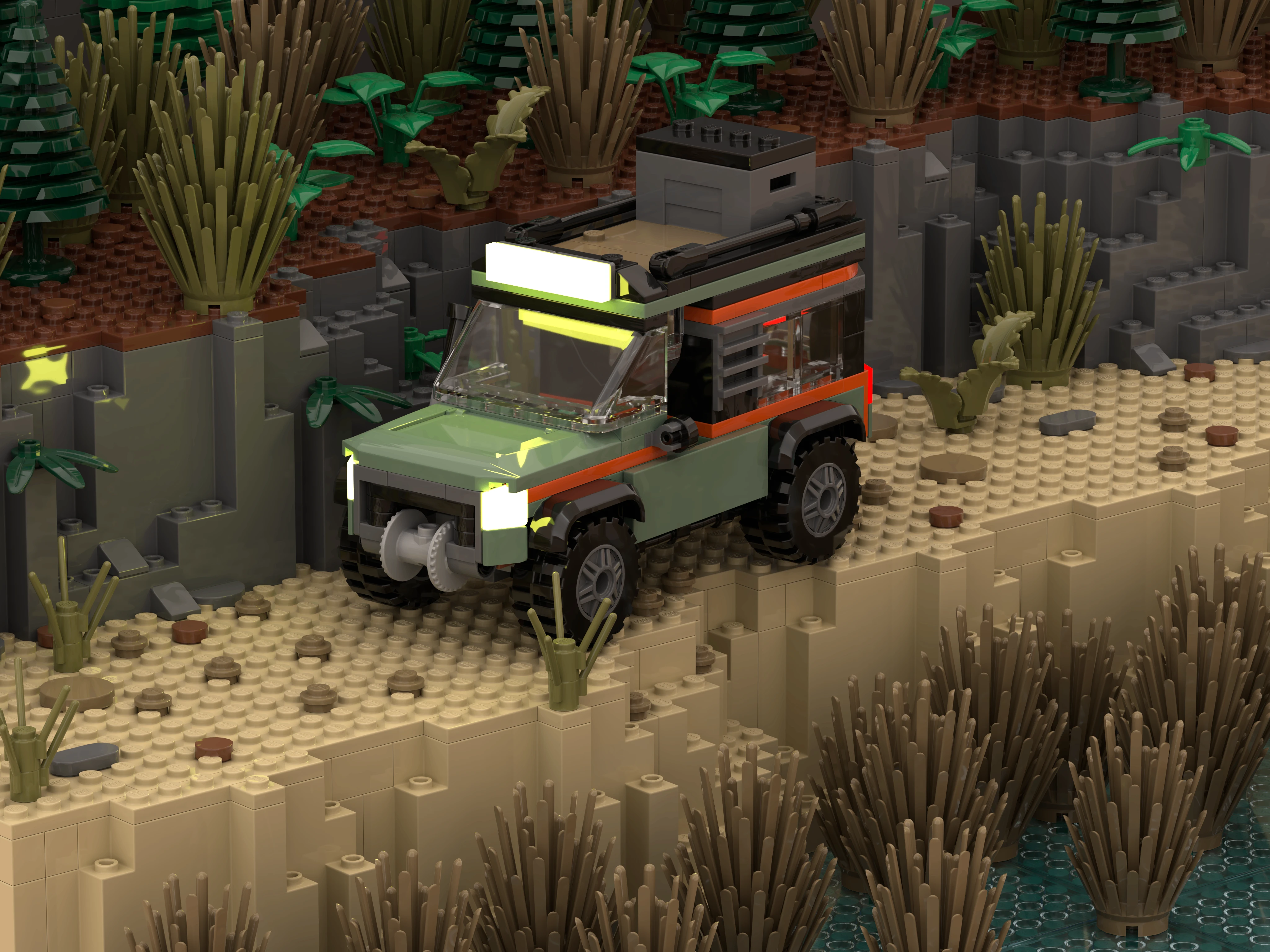
The render tool is one of the best things about Brickink Studio. It lets you create amazing, realistic pictures of your LEGO creations which are perfect for a box design. I created this scene during a class to demonstrate how much scenery and a few lights can transform the image.
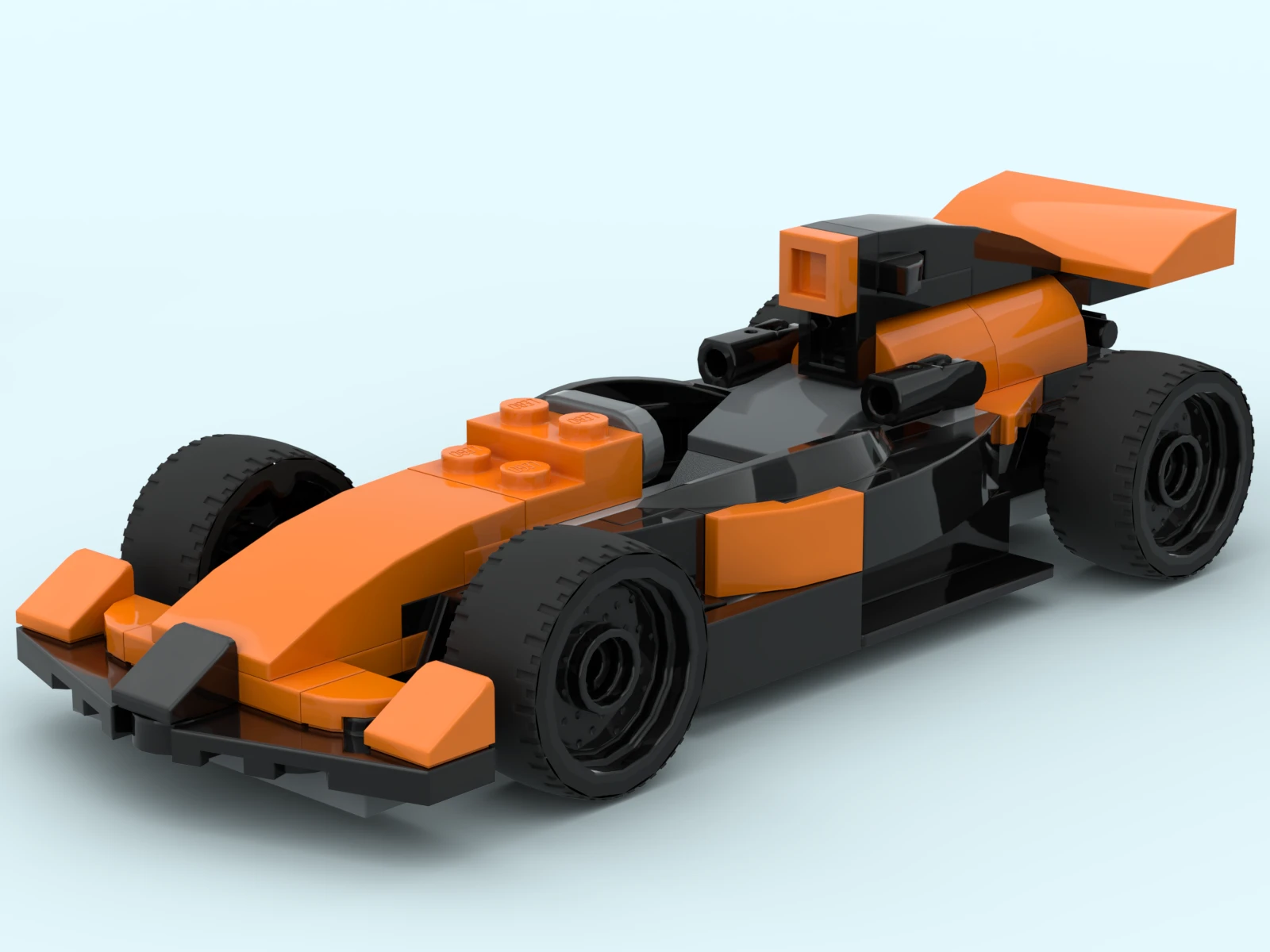
Creating novel things with LEGO can be a challenge for some students, especially if they haven't played with them much, or ever. I strongly recommend having everyone build several simple official LEGO sets as training, like this racecar. Download this file and open in Bricklink Studio
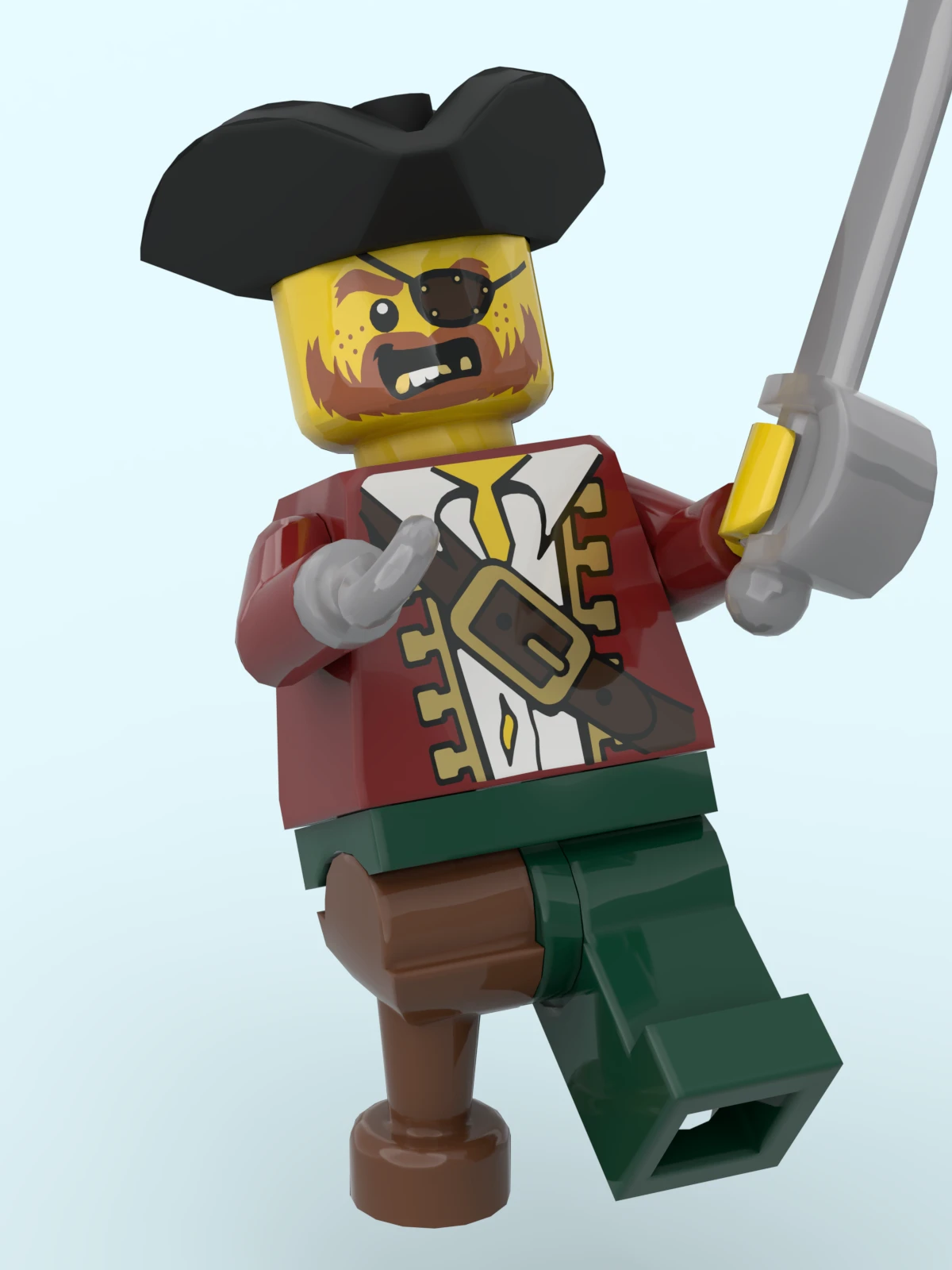
Just a simple pirate, but a great 'first render' project. Having students use the hinge tool to position and pose a minifigure is a great learning exercise, and the render tool makes their work come alive. Download this file and open in Bricklink Studio
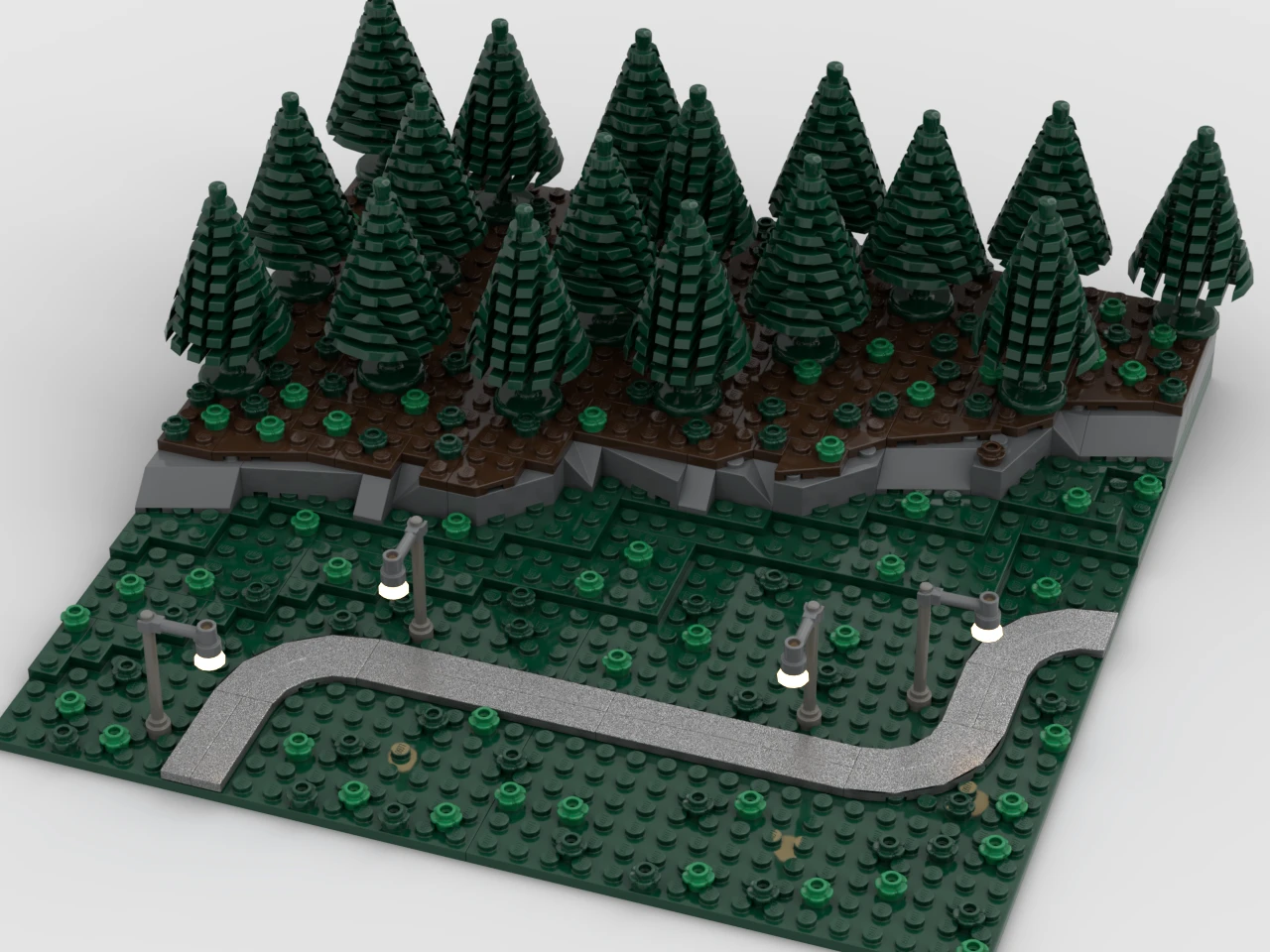
Once students get a handle on using Studio, I liked to have them create a scene/diorama on a 16x16 plate. I'd always build one along with them, showing the whole process on two large displays. Download this file and open in Bricklink Studio
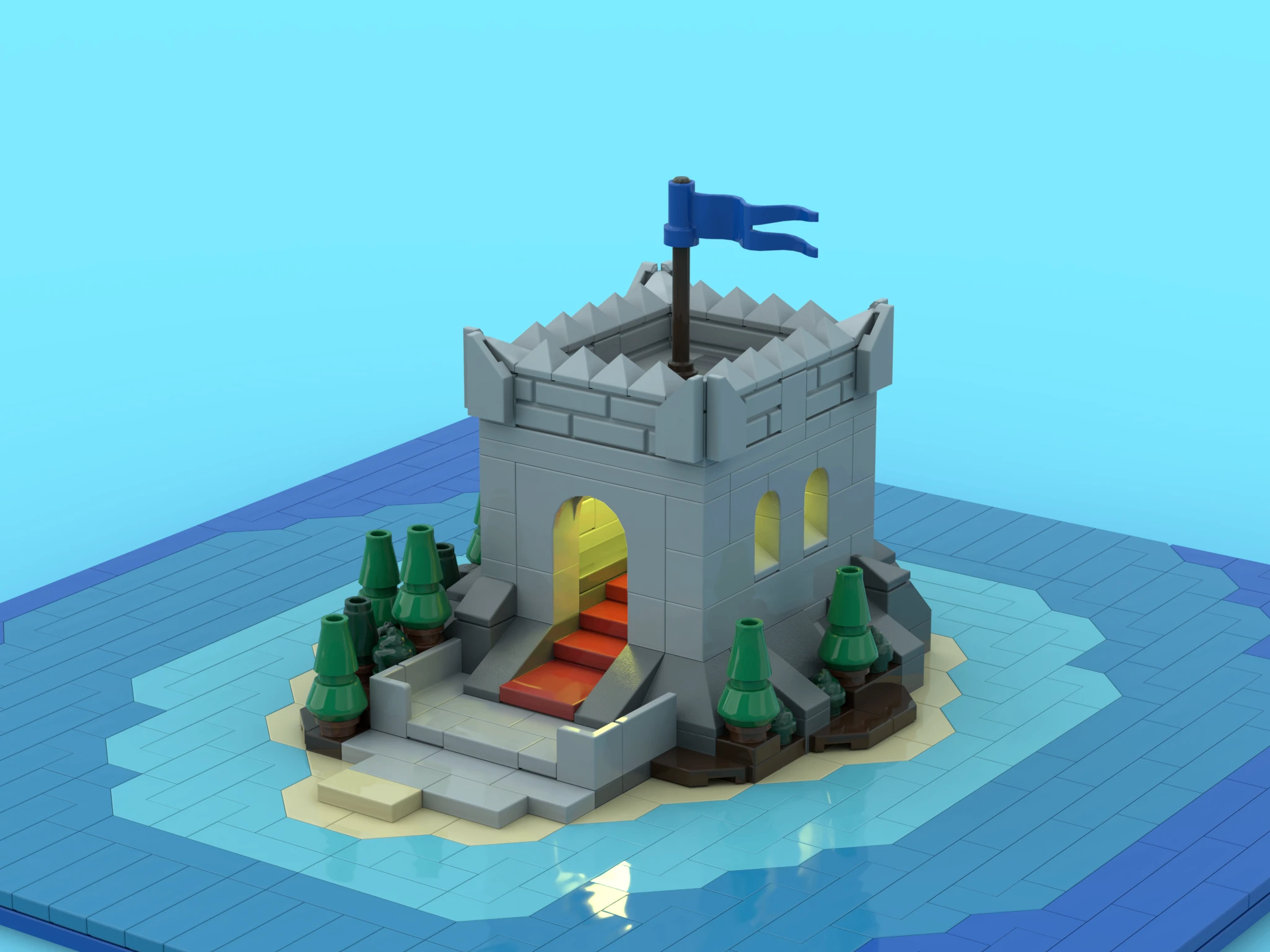
This little castle on an island was built to be animated, with the camera orbiting around it. We had some extra time at the end of the semester, and I held a 'best 360 scene' competition. Note the impact of adding a few hidden luminous plates to the ceiling of the castle. Download this file and open in Bricklink Studio
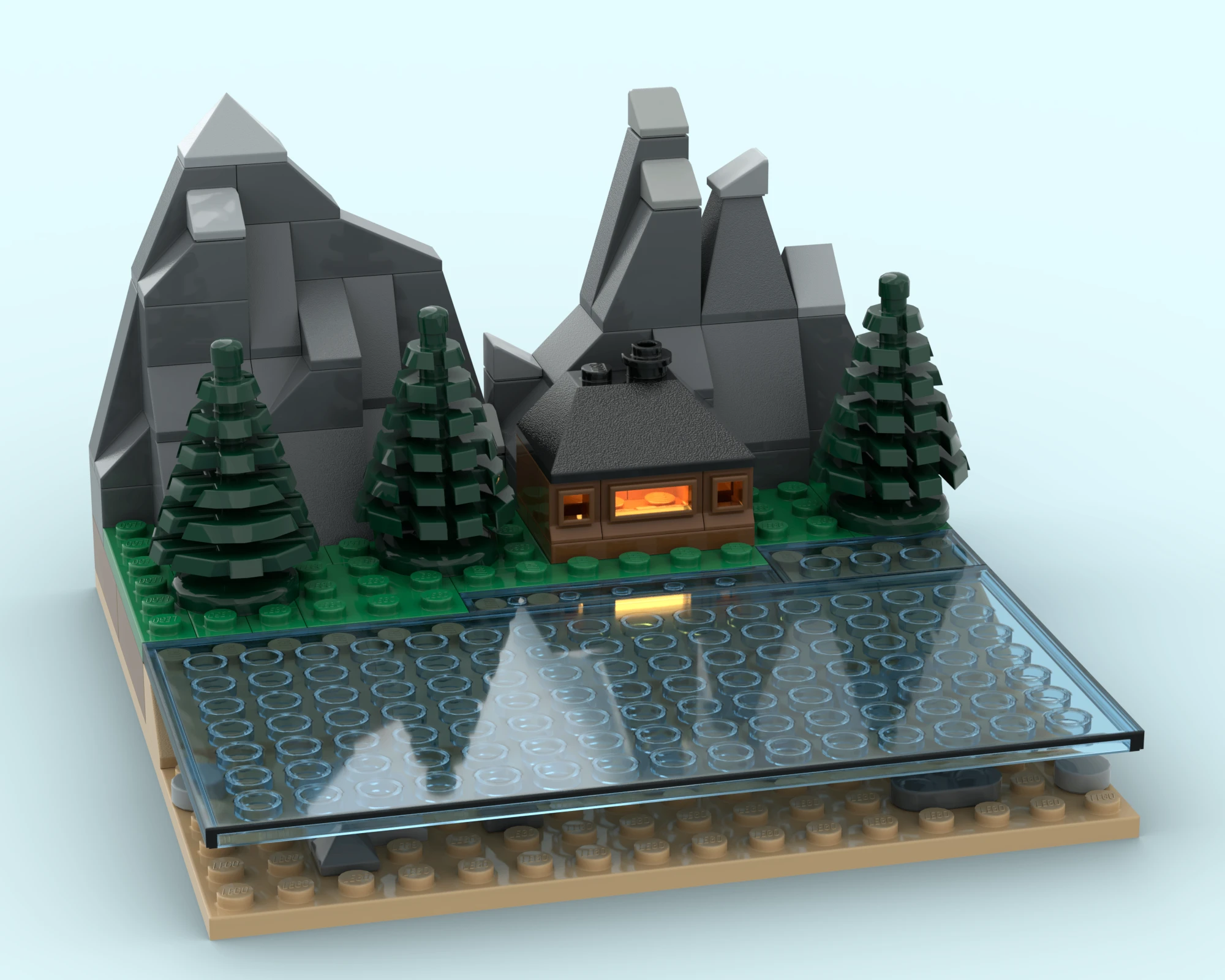
Another 16x16 scene, demonstrating how transparent colors can be used for liquids. The luminous plate once again brings the house to life. Slope bricks are a class of pieces that students tend to either miss, or avoid- and only showing them how great they can be for landscapes has helped. Download this file and open in Bricklink Studio
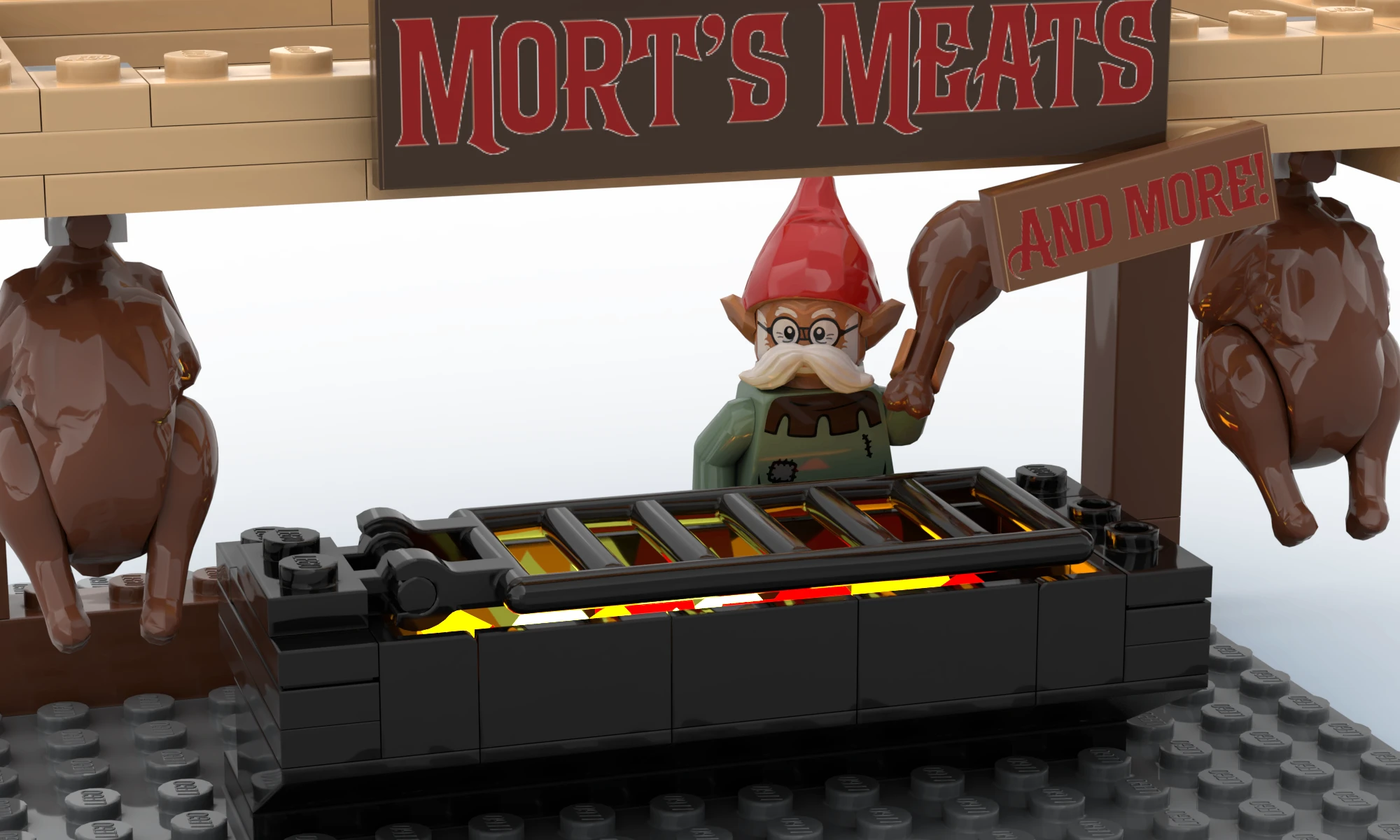
I created a small food vendor for my fantasy football "Brick Bowl" theme, and both the signs in this render were made using Part Designer. I made transparent PNG lettering in Illustrator (Affinity Designer or other tools are perfectly fine as well), and applied them to tiles in Part Designer. When creating images it's a really good idea to design within a shape that matches the ratio of your intended LEGO piece. In this case, the signs were built in 2x8 and 1x3 rectangles. (I used centimeters, but any 2:8 ratio would have worked)
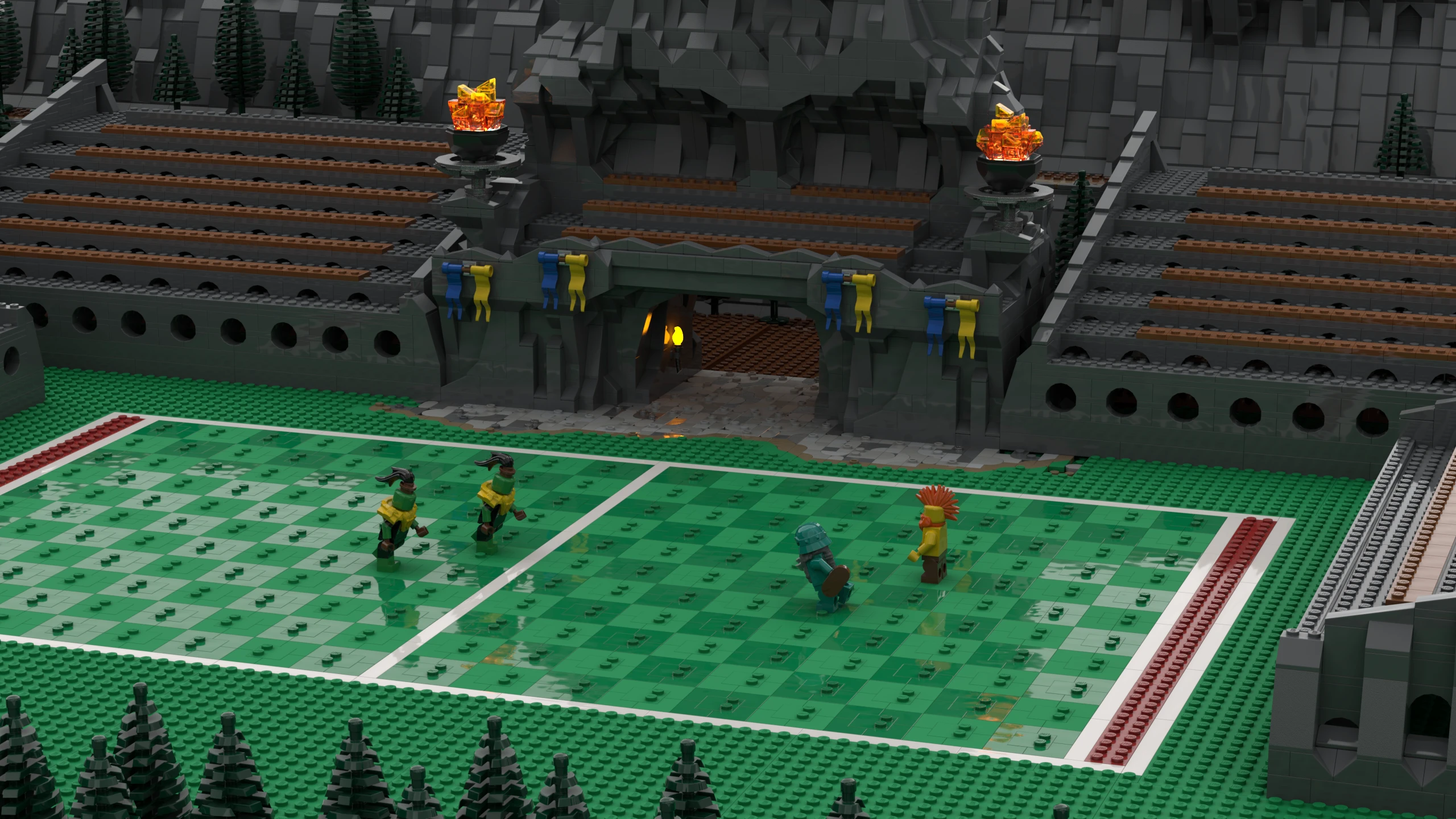
Changing the focal length of the camera can dramatically alter how much of the scene is visible. This Football stadium isn't quite finished, but I was able to hide the rough edges with a focal length change.

An excercise in the comined effect of transparent pieces, matte pieces, and placing lights (luminous and neon colored bricks) out of view. To date I've had no students organically discover the magic of lighting placed out or view, but it's a powerful technique and well worth demonstrating.Download this file and open in Bricklink Studio
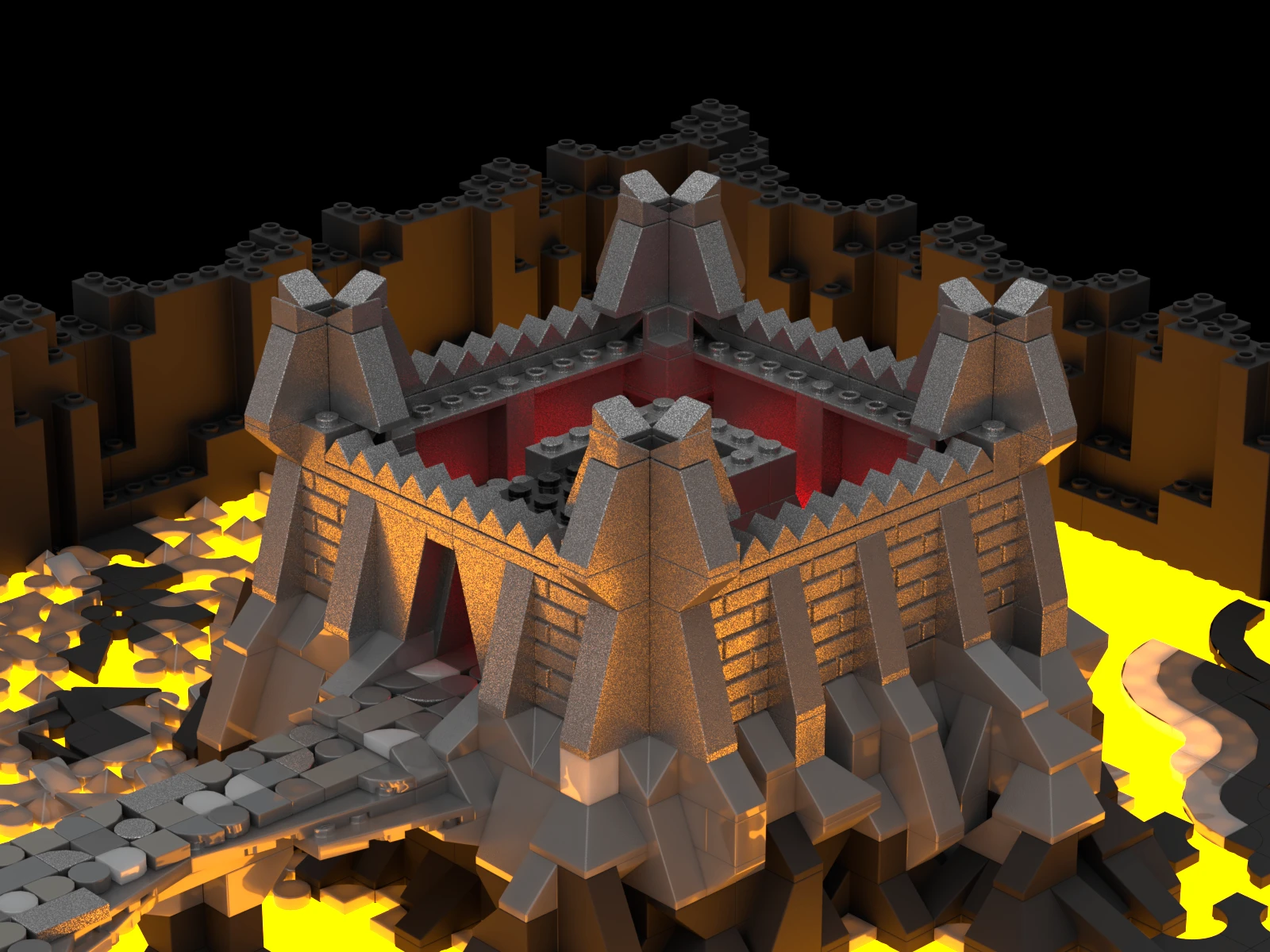
This project began as a way to test the diffusion of different colors/materials when placed on a glowing plate. It grew to demonstrate a variety of other things, including how cool uplighting can be. Download this file and open in Bricklink Studio
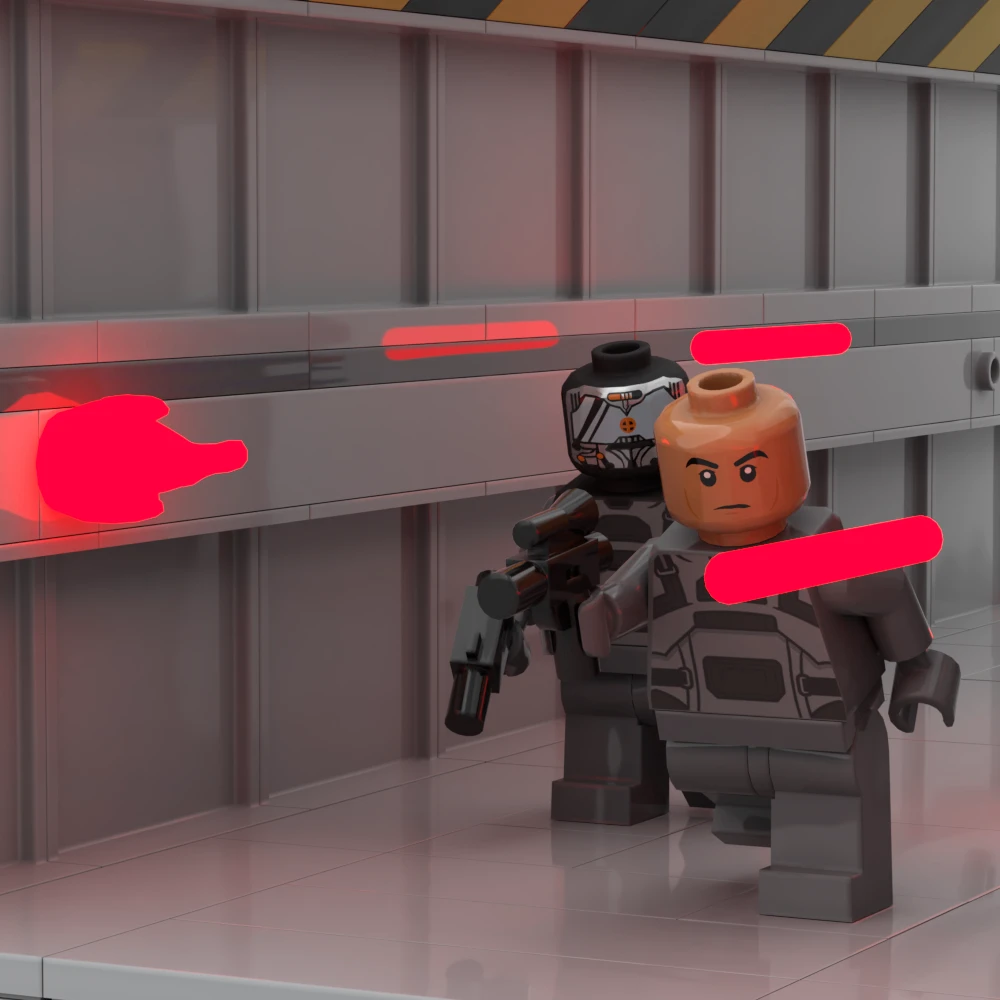
Since bricks can be made to float, they can be used to create dynamic lighting, like the laser blasts in this scene. Lighting is a fantastic way to anchor characters in a scene. Download this file and open in Bricklink Studio